Cuprio サポート
Cuprio Support
FAQ
Q. What is Cuprio?
Cuprio is a high-function calculator app focused on simplicity and ease of use.
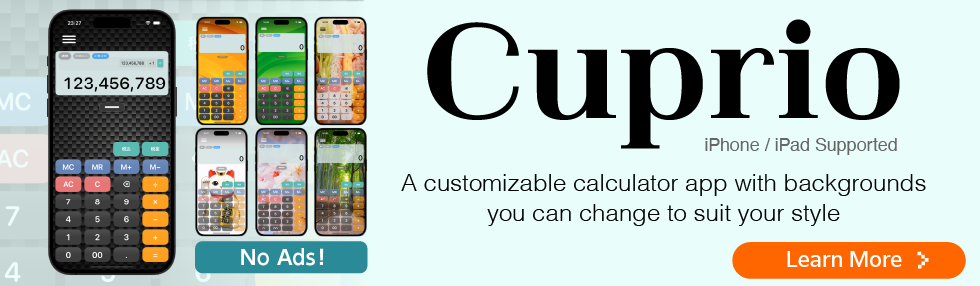
In addition to standard calculations, it supports time calculations, history management, and customizable backgrounds.
Q. Is this app free?
No. Cuprio is a paid app.
After purchase, there are no subscriptions or additional in-app fees.
Q. Are there any ads?
No, there are no ads.
Cuprio is designed for a clean and comfortable experience.
Q. What calculation modes are supported?
Cuprio provides input-order calculations, operator-precedence calculations, and time calculations. You can switch modes in Settings to match the way you work.
Input-order calculations: Works like a traditional calculator and processes operations in the order you enter them. This is useful when you want to continue using the previous result.
Operator precedence: Follows standard mathematical rules, calculating multiplication and division before addition and subtraction. Use this mode when you want expressions with multiple operators to be calculated as written.
Time calculations: Supports an hh:mm:ss mode for entering hours, minutes, and seconds, as well as a decimal-hours mode such as 1.5 hours. For example, 01:30:00 + 00:45:00 = 02:15:00, and 1.5h + 0.75h = 2.25h. The Current Time key can be used to calculate a scheduled time from the current time or find the time a specified duration before or after now.
Q. Does it have memory functions?
Standard memory temporarily stores numbers so you can use them in another calculation.
M+: Adds the displayed number to memory.
M−: Subtracts the displayed number from memory.
MR: Recalls the number stored in memory.
MC: Clears the memory.
For example, tap “M+” after each calculation when you want to add several results together, then tap “MR” to recall the total.
M1/M2 are additional memory keys for values you use frequently. Turn them on in Settings, then press and hold a key while the value is displayed to save it. Tap the key to recall the saved value. They are useful for prices, constants, hourly rates, travel times, and other values you use repeatedly.
Q. Is calculation history saved?
Yes, calculation history is automatically saved.
Tap the grabber (the horizontal handle) at the bottom of the screen to view your history. You can review and reuse previous calculations, or lock important history entries.
Learn how to use the grabber
Q. Can I change the tax rate used by the tax keys?
Yes. You can change the tax rate used by the tax keys.
You can choose 1%, 5%, 8%, 10%, 15%, 20%, or enter a custom rate in Settings. The default rate is 10%.
View tax calculation settings
Q. Can I customize the background?
Yes. Cuprio lets you change the calculator background to match your preferences. You can use the iOS Light, Dark, or System theme, as well as preset skins designed for different moods and uses.
You can also use your own photos or images saved on your device. You can zoom, reposition, and rotate the image to fit the calculator screen.
Q. Can I adjust the buttons and display?
Yes. Use Button & display intensity in Settings to adjust the appearance of the buttons and display panels.
This feature works only when a custom background is being used. Custom backgrounds include preset skins and photos you have taken yourself.
Move the setting toward Light to show more of the background, or toward Strong to make buttons and numbers easier to read.
Q. Can I use Cuprio in multiple windows on iPad?
Yes. On iPadOS 26 or later, Cuprio supports multiwindow use, so you can place it alongside other apps and resize its window by dragging the handle in the lower-right corner.
On earlier versions of iPadOS, Cuprio is used in full screen.
Q. Do you collect personal data?
No personal data is collected.
No analytics tools or advertising SDKs are used.
Q. Is Cuprio available on Android?
Currently, Cuprio is available only on iOS.
It supports iPhone and iPad.
Q. Can I use it on Mac or Windows?
Currently, Cuprio is available only for iPhone and iPad.
For inquiries about Cuprio, please contact us at the email address below.